

The AI colleague for your estate agency. For mAIxs clients.
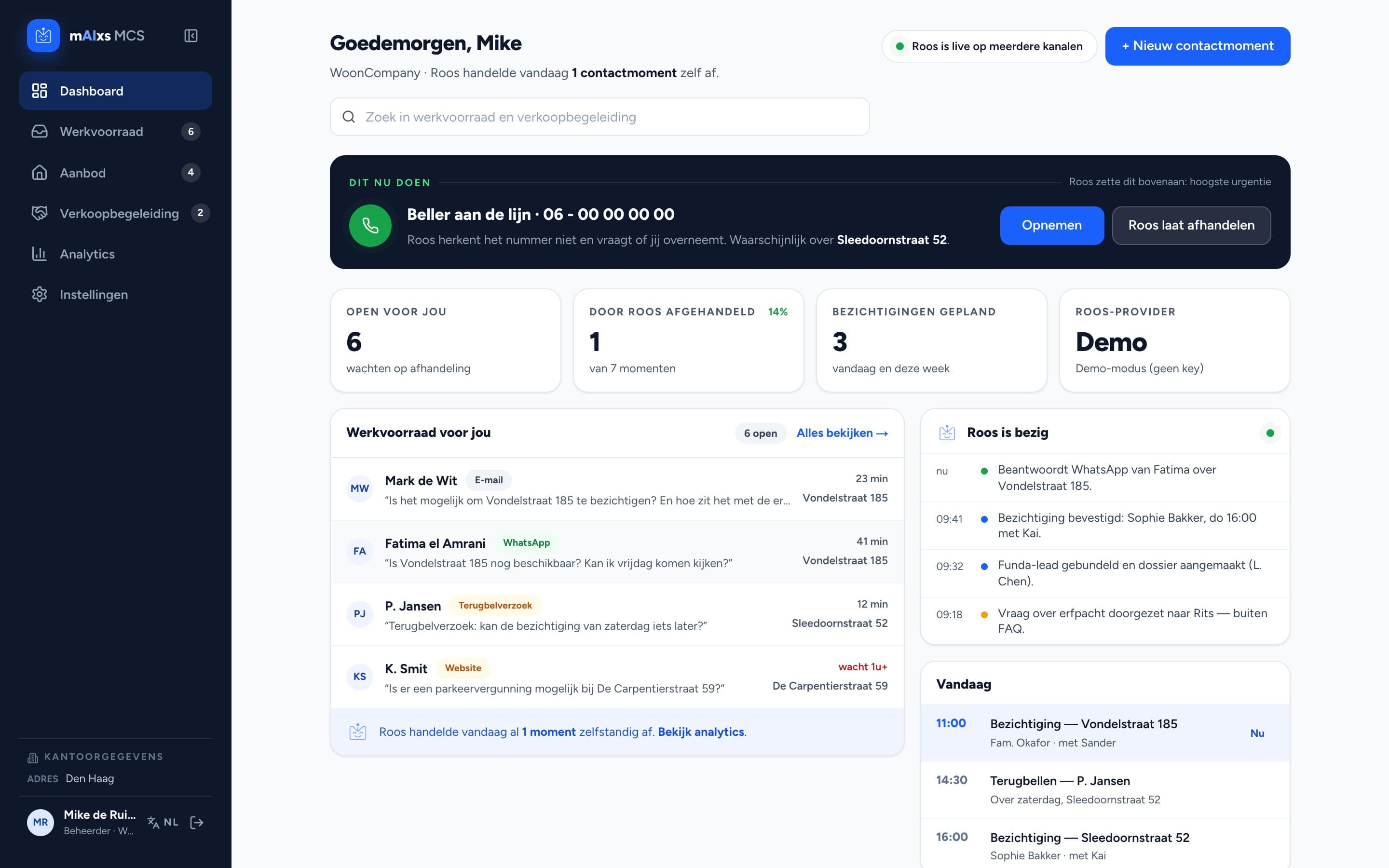
Roos picks up contact moments from phone, email and WhatsApp, schedules viewings and follows the sales process from intake to aftercare. You stay the face towards the client, Roos does the work in between.
- Built for estate agencies
- Phone, email and WhatsApp in one list
- You decide what Roos handles herself
What it is
The contact system for estate agents, with Roos inside
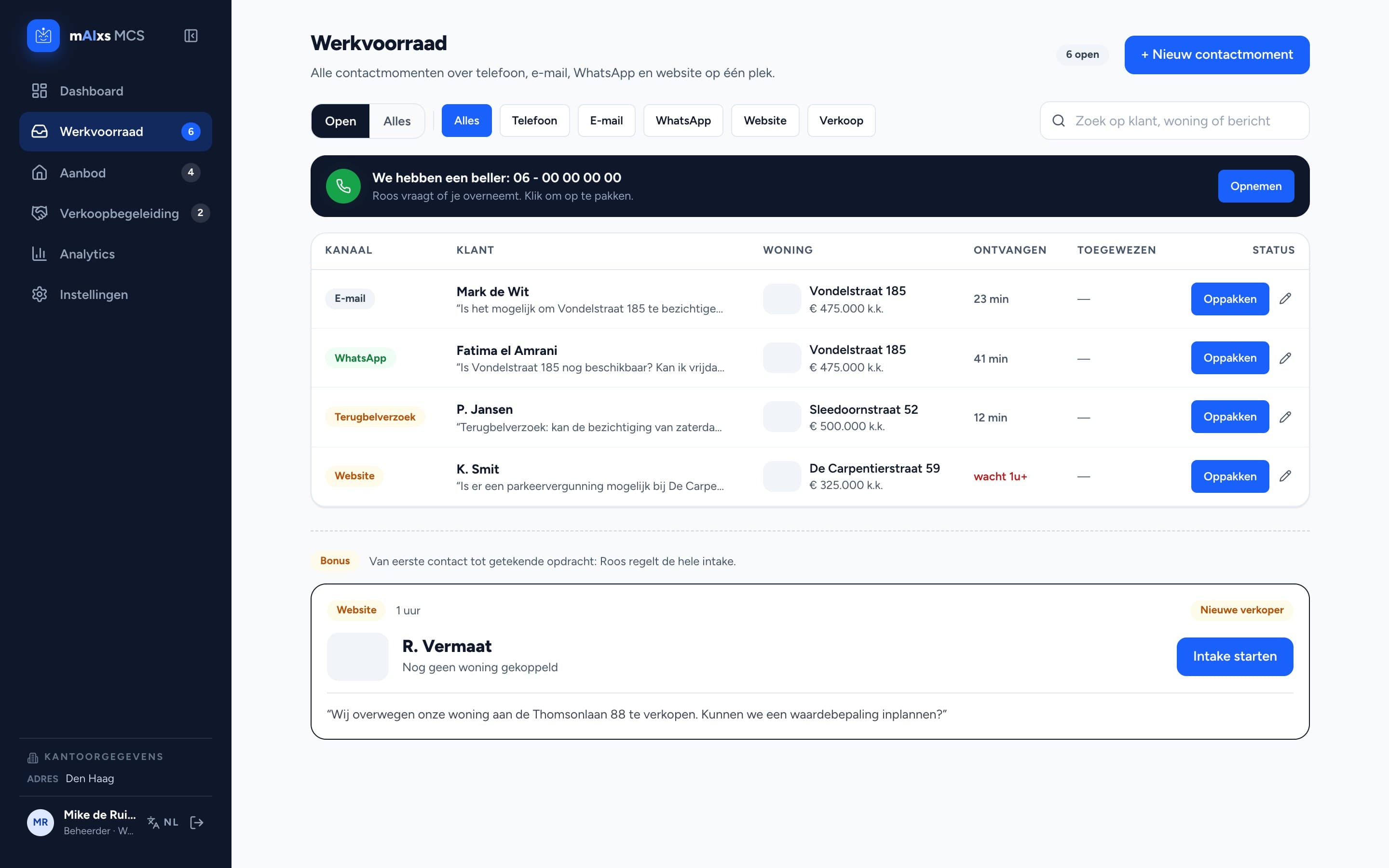
RoosAI runs on mAIxs MCS, our contact system for estate agents. Everything coming in by phone, email, WhatsApp and your website lands in one work queue. Roos reads along, drafts a reply, schedules a viewing or hands it back to the agent. Per office you set what she handles herself and what passes by you first.
A look inside the app
What Roos does
From the first phone call to the aftercare once the keys change hands.
One work queue
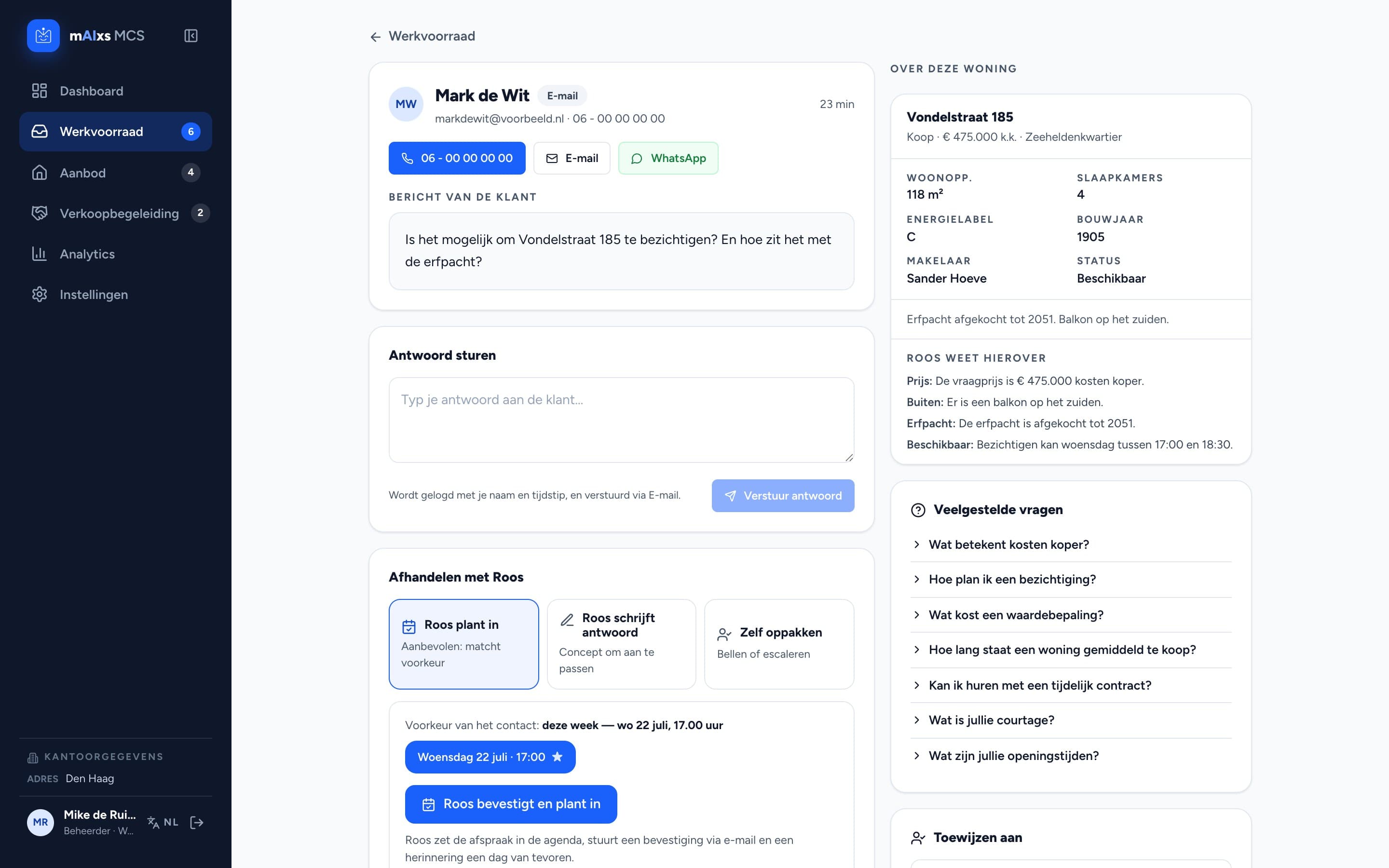
Phone, email, WhatsApp and your website in one list, filtered per channel. Per contact moment you choose: Roos schedules it, Roos drafts a reply, or you take it yourself.
Scheduling viewings
Roos matches the viewer's preferences with your open slots, puts the appointment in the calendar and sends the confirmation.
Sales guidance
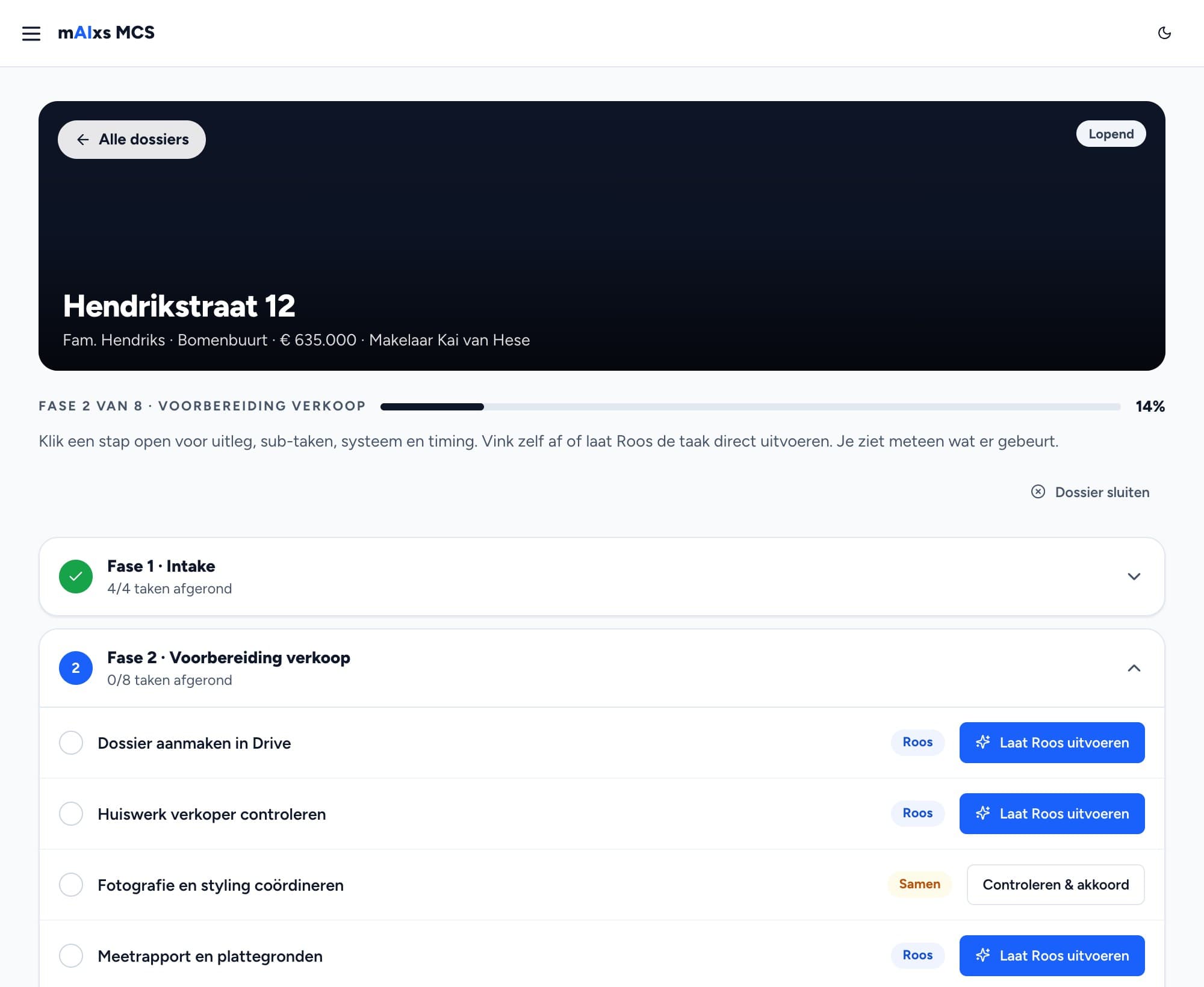
Every sales process runs through eight phases and 29 tasks, from intake to aftercare. Each task has an owner: Roos, the two of you together, or the agent.
Valuation on a new seller lead
When a seller lead comes in, Roos prepares a valuation right away, with a price range and comparable properties from your own portfolio.
Insight into your contact moments
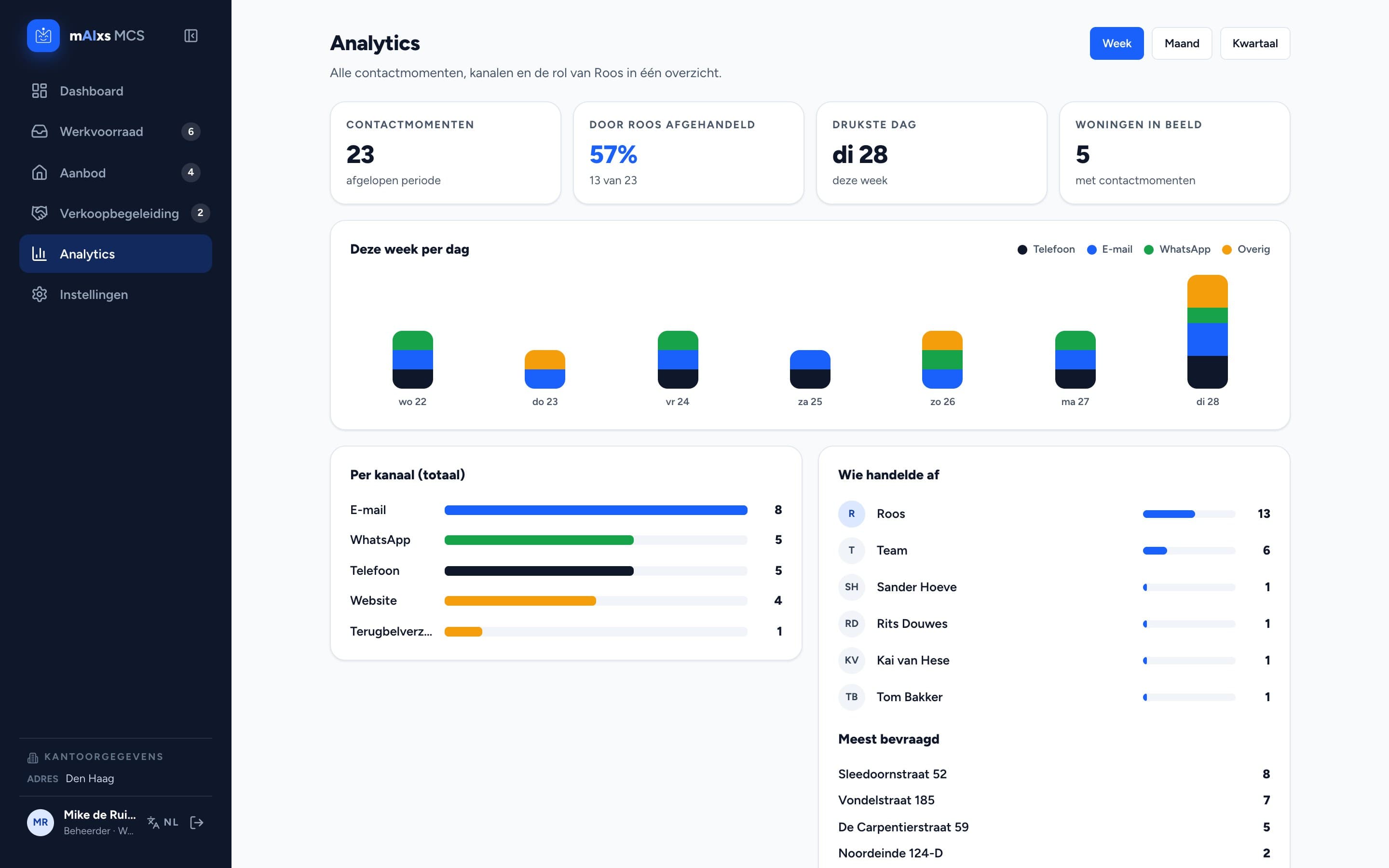
Per week you see what came in per channel, how much Roos handled herself and which properties attract the most questions.
Settings per office
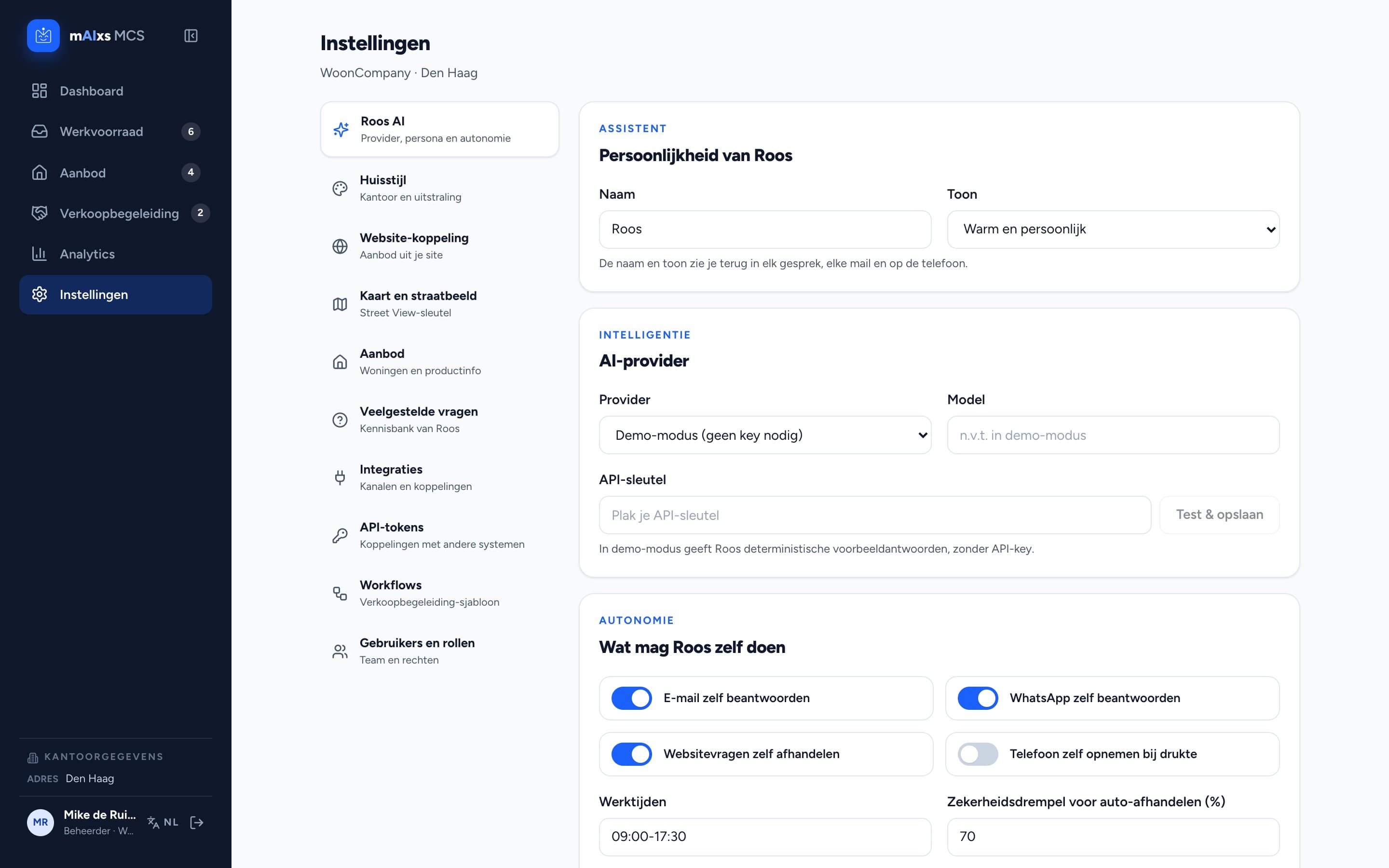
Roos's tone and persona, how much she may do herself, your listings, the FAQ knowledge base and which AI model runs underneath.
How Roos joins your office
- 1
Connect channels and listings
We connect your phone, email, WhatsApp and website, and bring in your listings so Roos knows what is on the market.
- 2
Set Roos up
You define how Roos sounds and what she may handle herself. Everything else reaches you as a draft.
- 3
Working the queue
Roos works through the list. Per contact moment you read back what she did, and you step in whenever you want.
Frequently asked questions
What is the difference between RoosAI and MCS?
MCS is the system: the contact system for estate agents that holds your contact moments, properties and sales processes. Roos is the AI colleague working inside it. You get them together.
Does Roos handle things without us seeing it?
Only if you set it up that way. By default she writes a draft for you to approve. Per type of contact moment you decide how far she may go, and every action is logged with the contact moment.
We have several branches. Does that work?
Yes. Every office is its own environment with its own users, listings, FAQ and channels. Data from one office is not visible in another.
Which AI model runs underneath?
You choose per office: Claude, OpenAI or Gemini. If you want to look around first without connecting a key, Roos runs in demo mode with fixed example answers.
Does Roos replace our office assistant?
No. Roos is named after the assistant who knows everything and arranges everything, and she takes over what gets left behind when the phone keeps ringing: calling people back, moving appointments, answering the same question for the fifth time.
Can we use RoosAI already?
RoosAI is running at the first estate agencies. If you want to see it, book a demo and we'll walk through a real work queue together.
Curious what Roos would do for your office?
Book a short demo. We'll show you how an incoming call travels through the work queue, the calendar and the sales process.